Showing posts with label OBIEE. Show all posts

November 13, 2017

RTF to Excel Sheet (Separate) O/P

Different Sheet Xls O/P


Form Bi Publisher Report RTF Template if you need to generate output in different excel sheets need to perform the exercise as below.


1. Ensure the grouping of block items.

Different Grouped Data Blocks
2. After Each Grouped Data Block click 'CTRL+ENTER' and place the block you need to be on next sheet.

3.To name the sheets - use the XML tag before the data block:


The output will be generated as below in different sheets.


Happy Learning !!!


December 16, 2014

BI and OBIEE Difference

A short intro to the consultants confused with OBIEE and BI Publisher.


OBIEE is a stand alone suite and its different for a developer who works on only XML publisher(EBS suite).

The common thing mostly confused is template builder which is used in both the BI development.

OBIEE is stand alone suite has n number features graphic tool depreciation in it.The BI (XML Publisher )Is limited with template builder and fallows same old standards of XML tags.


Happy Reading !!!

February 10, 2011

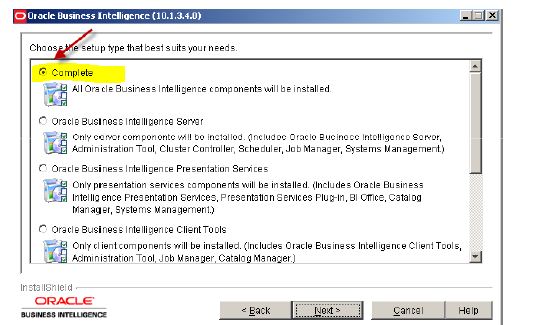
OBIEE Installation

It can run on both Windows and Linux

Basic Install is available only on Windows and it is very easy to install
• There are some tools such as BI Administration Tool that are windows based only


OBIEE

• It is a query tool
• It has far more rich features than Discoverer
• It is completely web based design
• It came with Siebel acquisition, Siebel got it from nQuire Software in 2001, it was
designed to be database/Applications vendor independent

Design
• Clients
• Oracle BI Presentation Services
• Oracle BI Server
• Data Sources
• Clients
– Oracle BI Answers to build Requests (Reports)
– BI Dashboards to Display results of the Answers Requests
– BI Administration Tool to build repository
• Oracle BI Presentation Services
– Renders pages
– Extension to Web Server
– Users a catalog folder to store user content
– Acts as an intermediary, receives data from Oracle BI server and provides it to the client.
• Oracle BI Server
– Uses the RPD file (metadata) to form dynamic SQL
– It can connect natively (Oracle OCI) or through ODBC to the RDBMS
– It Structures the results set
• Data Sources
– Relational Database, OLAP databases, Flat Files, Spreadsheets, XML files
Components:
• Oracle BI Scheduler
– Just like Concurrent Manager, it schedules Answers Requests, Scripts,Alerts
• Oracle BI Delivers
– Few Web pages that allows us create alerts based on Answers Requests
– IBOTS (OBIEE provides few web pages that allows us to create alert setups)
– It works with the Scheduled
• BI Administration tool to manage Analytics Metadata RPD files
– (Windows Based only)

COALESCE-SQL

Coalesce- return the null values from the expression. It works similar to a case statement where if expression 1 is false then goes to expr...